- Best for
- Designers and developers measuring an existing page or bringing a section into Figma for analysis.
- Main limitation
- The license covers one person on up to three of their own browsers or devices; it cannot be shared.
- Free option
- Free trial, 7 days, then paid
- Rights
- Check the plans below
- Last checked
- 21 Nov 2026
Plans and rights
| Fact | Lifetime licenseMain plan |
|---|---|
| Price | $51one-time payment, lifetime license |
| Free access | Free trial, 7 days2 |
| Limits | One person, up to 3 of their own browsers or devices |
| License | Unknown |
| Commercial use | Unknown |
| Output restrictions | You are responsible for how you use code and assets copied from other websites; copying protected work without permission is not allowed. |
| Checked | 21 Nov 2026 |
Sources
$5 one-time
designtoolkit.online · Checked 25 Nov 2026
Every new installation includes a 7-day free trial with all features.
designtoolkit.online · Checked 25 Nov 2026
Summary of the vendor's terms as checked on the dates shown. Not legal advice; read the license before you ship. Report an inaccuracy
About Design Toolkit
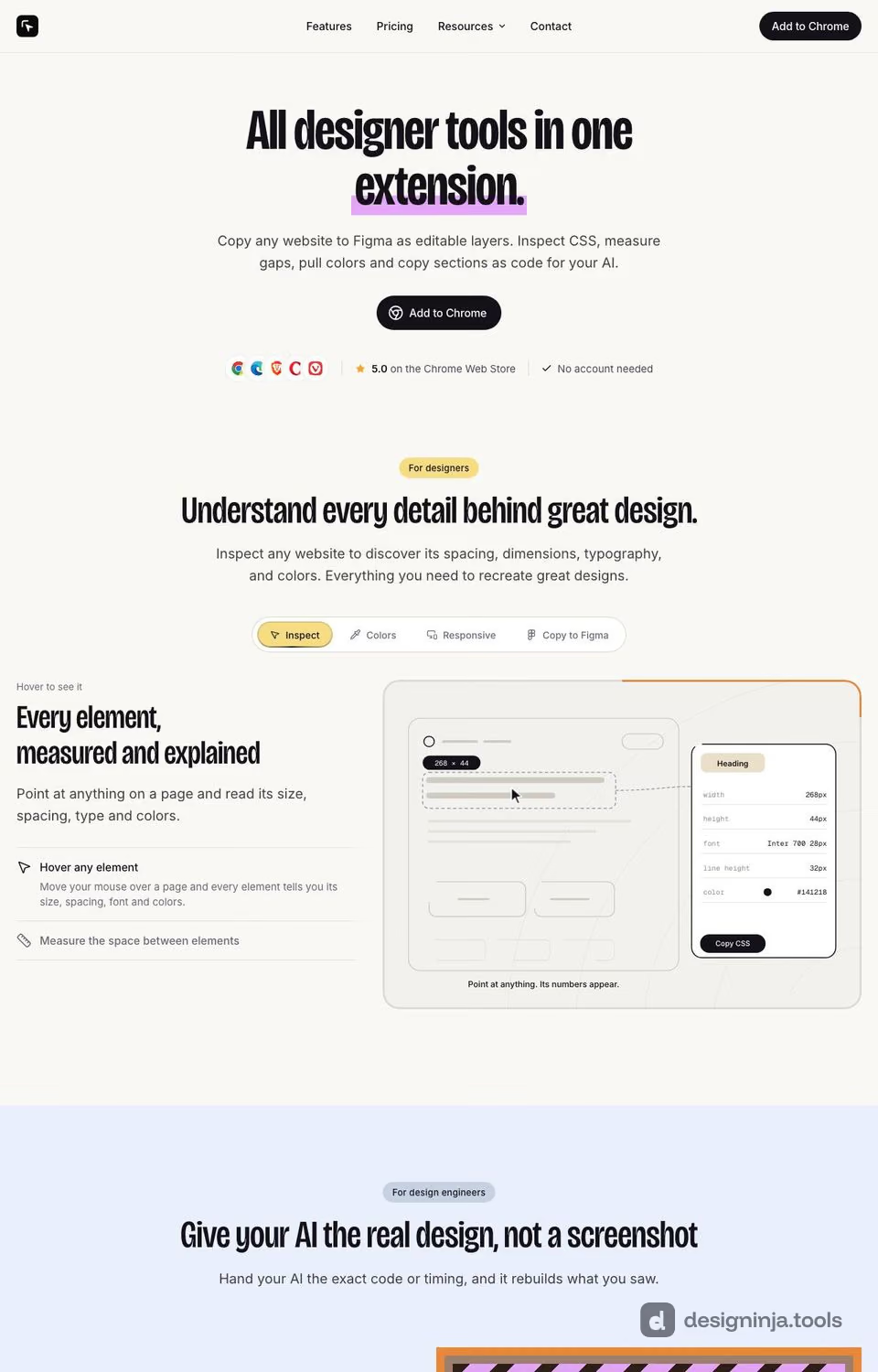
Design Toolkit is a browser extension for inspecting, measuring and copying live websites, for Chrome, Edge, Brave, Opera, Vivaldi and Arc. Hover any element to see its size, spacing, font and colors, then copy the computed CSS, the page's real rules, Tailwind classes or a React style object. It can paste a section or a whole page into Figma as editable frames, text and auto layout without a plugin, pull palettes from images, and capture screenshots across 20 or more device sizes. Sections can also be exported as Tailwind, HTML, React, Vue or Elementor code to hand to an AI assistant.
How it compares
Design Sidekick is a free extension from Pagecloud that shows a page's palette, fonts and text styles and adds an SEO and Open Graph checklist, but does not copy pages into Figma. Woblo, a Chromium extension, inspects typography, colors and layout and exports detected styles as tokens in CSS, Tailwind, SCSS or JSON. Design Toolkit is the one to pick when you want editable Figma layers or section code from the page you are viewing, after a 7-day free trial and a single 5 USD payment.
- Platform
- Web
Questions
Is Design Toolkit free?
Design Toolkit has a 7-day free trial; after that it is paid ($5, one-time payment, lifetime license).
Can I use Design Toolkit for commercial projects?
We couldn't confirm this recently for the Lifetime license plan, so check the vendor's license before you ship.
Alternatives
More design tools- Design SidekickInspect website styles and SEO tags in ChromeFree.Check rights on profile
- FontsightBrowser extension that identifies fonts on any web pageFree.Commercial use
- EditUIBrowser-based visual UI review and feedback handoffFree.Check rights on profile
- Ascii StudioImage and video conversion into ASCII framesFree.Commercial use
- Be ChartsBrowser chart design from spreadsheet dataFree.Check rights on profile